
An intraoral scanner captures the teeth and surrounding oral structures as a digital 3D model. For dental practices, this can make impression-taking more convenient and connect clinical data with digital design and manufacturing workflows.
Choosing a scanner involves more than comparing headline speed or resolution. The right intraoral scanner should fit the procedures you perform, the way your team works, and the software and laboratory systems you already use.
In brief: When evaluating an intraoral scanner, consider clinical accuracy for your intended cases, scanning workflow, ease of use, software compatibility, data export options, support, and total cost of ownership.
What is an intraoral scanner?
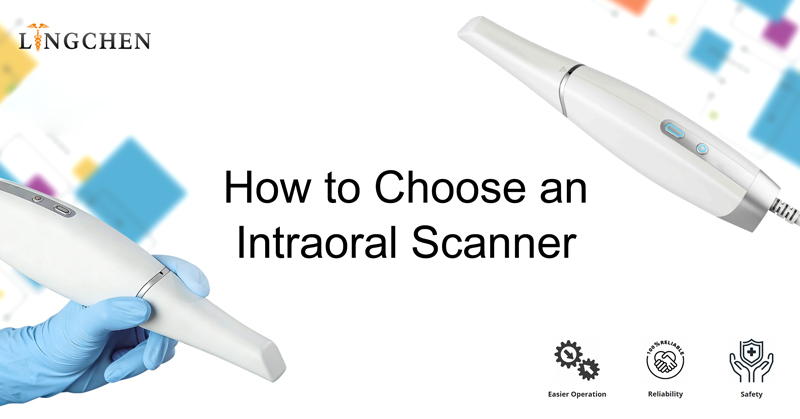
An intraoral scanner is a handheld digital device that records optical data inside a patient’s mouth and processes it into a three-dimensional digital impression. The scan can support restorative planning, orthodontic records, implant workflows, and communication with dental laboratories, depending on the scanner’s software and available integrations.
Unlike a physical impression, a digital scan can be reviewed on screen during the appointment. If an area is missing or unclear, the dental team may be able to capture additional data before sending the case onward.
Why are dental practices adopting digital impressions?
Digital impressions can support a more connected workflow from patient scanning to case review and laboratory communication. They may also help practices reduce some of the handling steps associated with conventional impressions.
The practical benefits depend on the scanner, software, team training, and case type. A scanner should be assessed as part of the complete workflow rather than as a standalone device.
Key factors to consider when choosing an intraoral scanner
1. Accuracy for your clinical applications
Accuracy is central to the quality of a digital impression. However, performance can vary with the scan area, clinical conditions, scanning strategy, and operator experience. Results from a single-tooth restoration may not predict performance in a full-arch or implant case.
Ask how the scanner performs in the procedures you commonly handle. Review available clinical evidence and product documentation, and request a demonstration using representative cases.
2. Scanning workflow and ease of use
A scanner should be comfortable to handle and straightforward for the whole team to learn. Consider the wand’s shape and weight, the scan sequence, the on-screen guidance, and how easily users can identify areas that need more data.
A practical evaluation should include the steps before and after scanning: patient preparation, scan review, case completion, and sending files to the laboratory or design software.
3. Software and file compatibility
Before choosing a system, check how it fits your existing digital workflow. Confirm which file formats the scanner can export, whether those exports meet your needs, and whether the software supports your preferred laboratory, CAD/CAM tools, or practice systems.
Also review software licensing, cloud services, data storage, and any fees that may apply over time.
4. Support, training, and maintenance
Reliable training and technical support can affect how quickly a practice adopts a scanner. Ask what onboarding is included, how support is provided, and what maintenance or replacement parts may be needed.
Consider the full ownership cost, including the scanner, software, accessories, service, and staff training.
5. Features that match your practice
Some scanners offer features such as wireless operation, shade assessment, patient communication tools, or integrated imaging functions. These capabilities may be useful, but their value depends on your cases and daily routine.
Prioritize features that solve a real workflow need. Compare them against the procedures you perform most often.
How LINGCHEN’s Intraoral Scanner Supports a Digital Workflow
The LINGCHEN intraoral scanner is designed to support dental practices moving toward digital impressions and connected workflows. Its features—including can help clinicians capture and review digital scan data for restorative, orthodontic, or implant workflows.
When evaluating the LINGCHEN intraoral scanner, consider how its scanning process, software compatibility, and file export options fit your practice’s existing systems and laboratory workflow. Review the published specifications or contact LINGCHEN to confirm that the scanner meets your clinical and technical requirements.
Explore the LINGCHEN intraoral scanner: https://www.lingchendental.com/top-intra-oral-scanners-2026-high-accuracy-dental-scanning-solutions-product/
Conclusion
The right intraoral scanner should fit your clinical needs, team workflow, software, and laboratory partnerships. Compare accuracy for your intended cases, ease of use, file compatibility, support, and total ownership costs—not just headline scanning speed.
To learn whether the LINGCHEN intraoral scanner is right for your practice, review the product specifications or contact LINGCHEN for more information.
Post time: Oct-23-2026